Profiles Guide
Recommended Workflow: Use the UI
Use the bravo app as the primary editing workflow.
- The app loads profile YAML files from
profiles/. - The editor updates in memory while you work.
- Save YAML writes the changes back to the profile file.
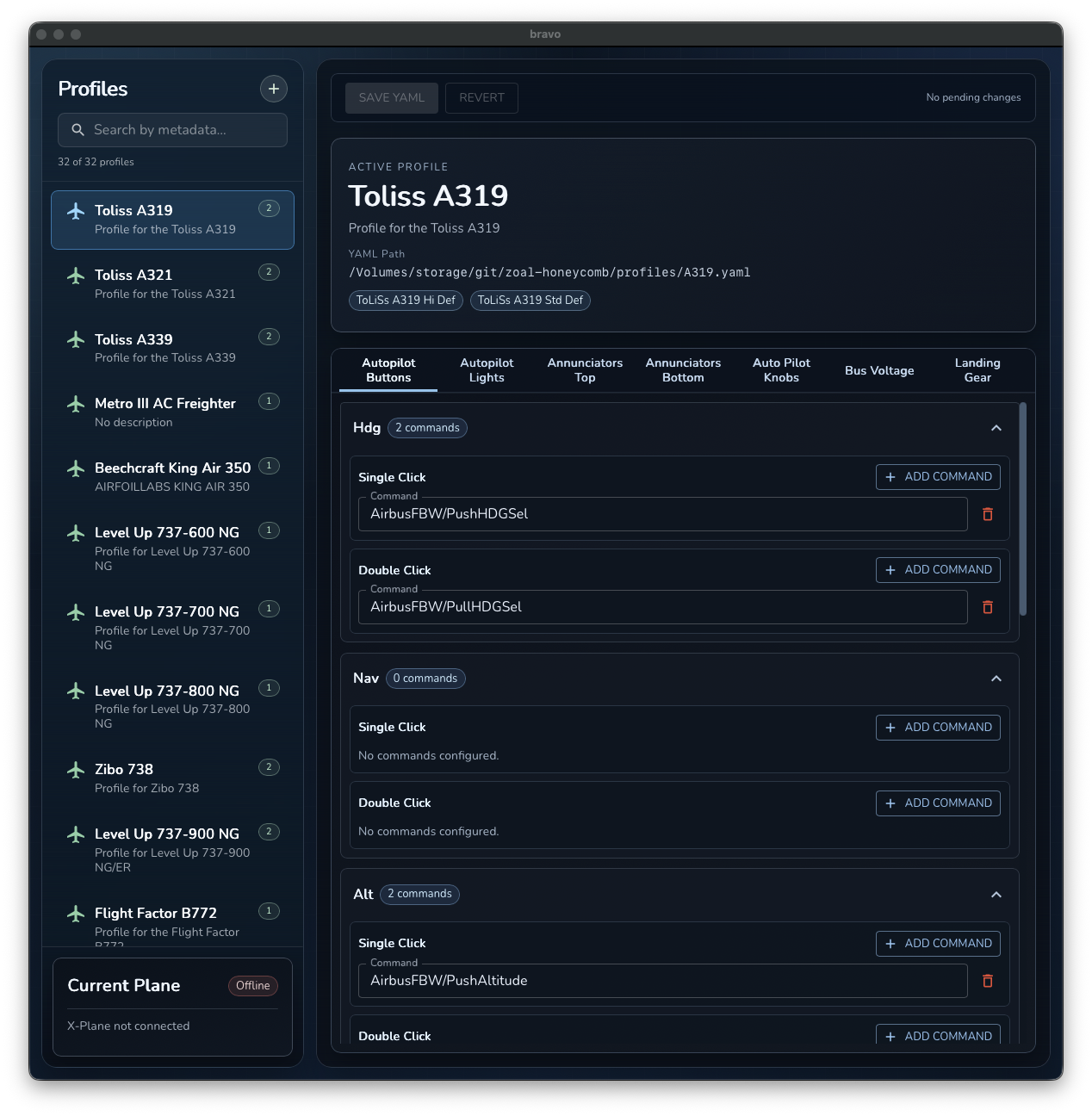
UI Editing Walkthrough
- Launch
bravoand select a profile from the left sidebar. - Confirm the active profile card in the editor area.
- Edit each tab as needed.
- Click Save YAML.
- Test behavior in X-Plane.
Tab Reference
Autopilot Buttons
Maps buttons.<key>.single_click[] and buttons.<key>.double_click[].
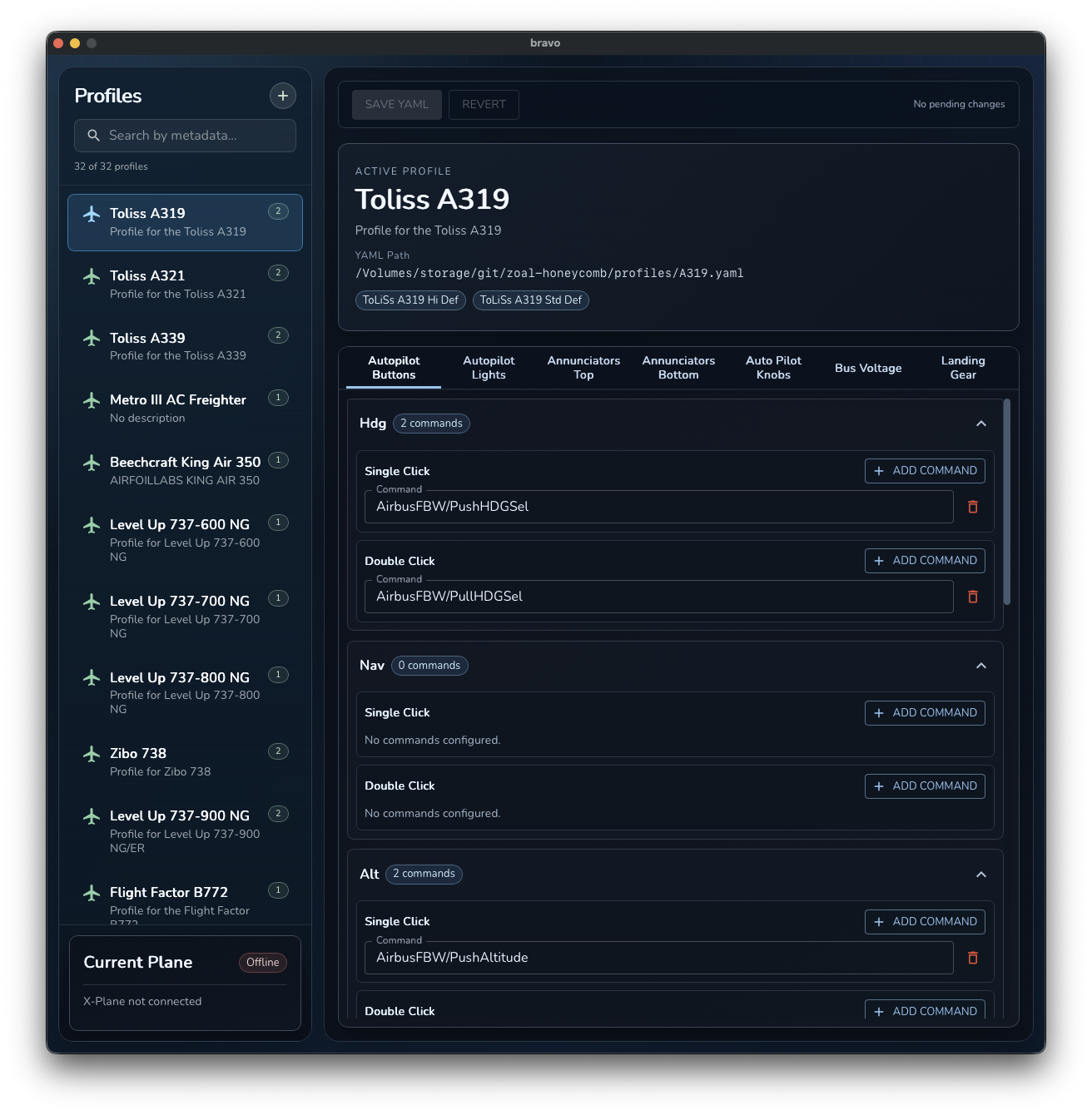
Use this tab for AP button command mapping:
hdg,nav,alt,apr,vs,ap,ias,rev- Add multiple commands per click mode when needed.
Autopilot Lights
Maps AP status LEDs under leds.
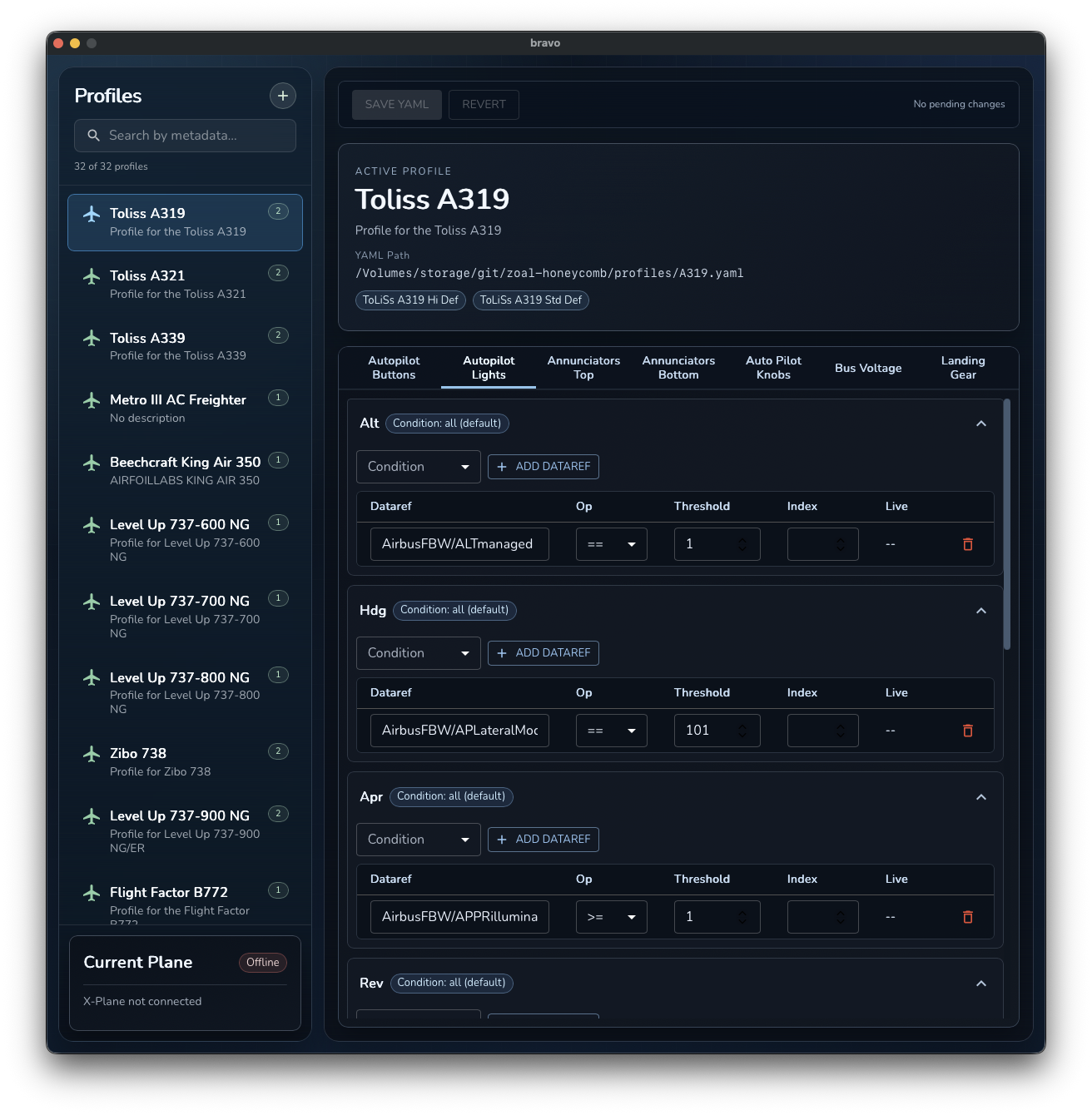
Typical keys in this tab:
alt,hdg,apr,rev,nav,vs,ap,ias
Annunciators Top
Maps the top annunciator LED row in leds.
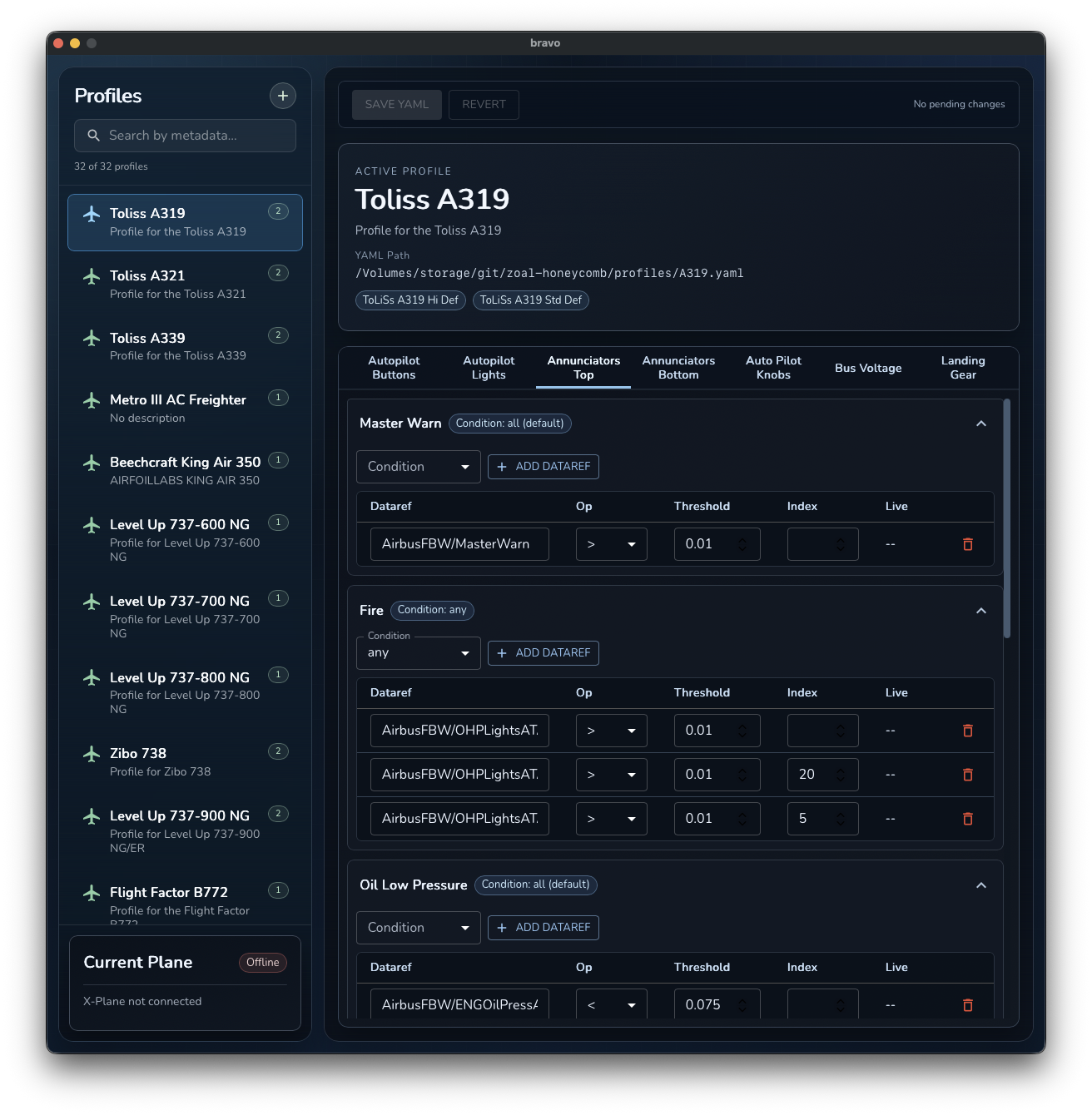
Typical keys:
master_warn,fire,oil_low_pressure,fuel_low_pressure,anti_ice,eng_starter,apu
Annunciators Bottom
Maps the bottom annunciator LED row in leds.
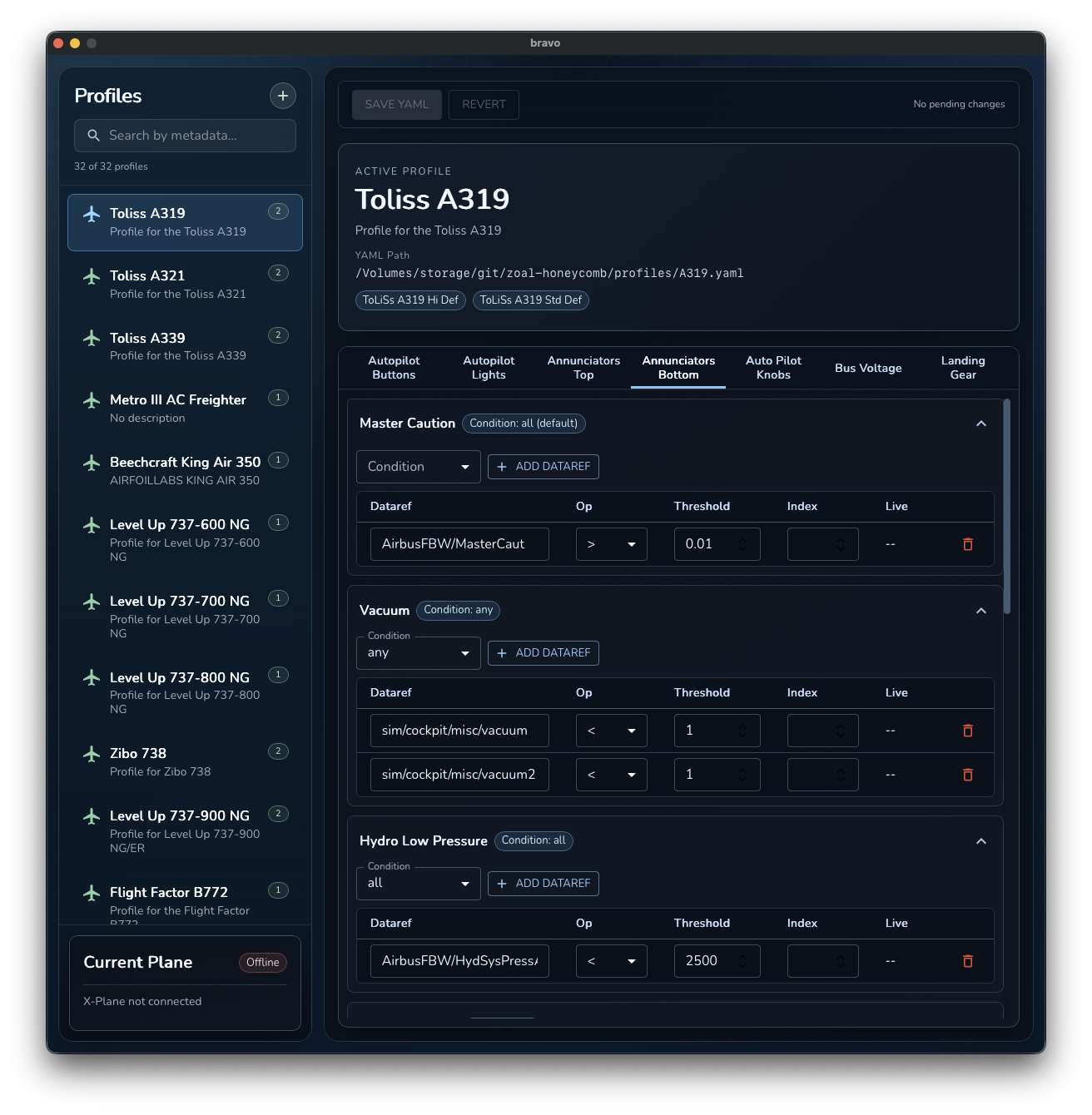
Typical keys:
master_caution,vacuum,hydro_low_pressure,aux_fuel_pump,parking_brake,volt_low,doors
Auto Pilot Knobs
Maps encoder behavior under knobs.
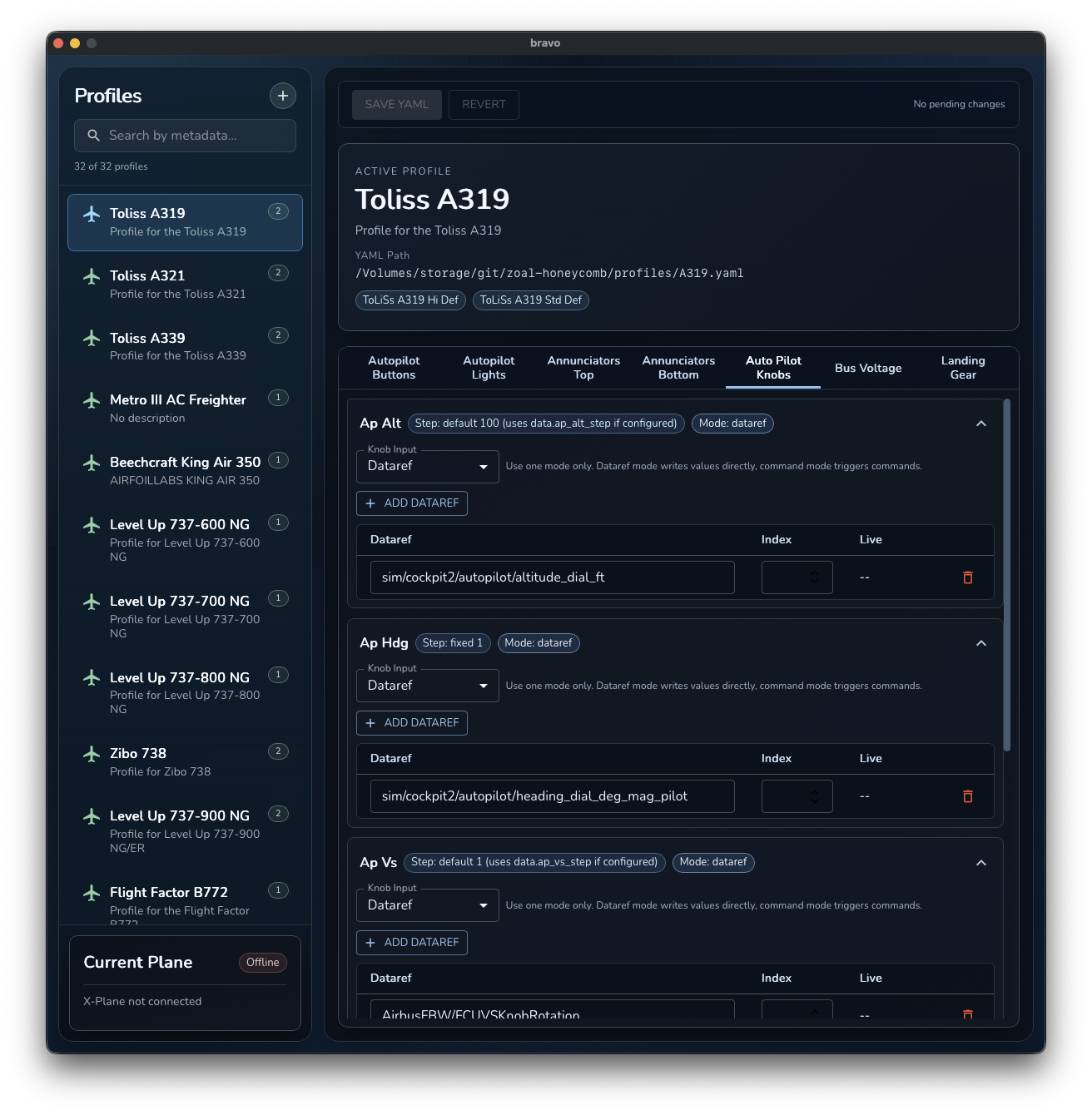
Typical keys:
ap_alt,ap_hdg,ap_vs,ap_crs,ap_ias
Each knob can use:
- Dataref mode (
datarefs) - Command mode (
commands)
AP Rotary Steps
Maps AP rotary step sizing under data.
Use this tab to configure:
ap_alt_stepap_vs_stepap_ias_step
Each step can use:
- Fixed value (
value) - Dataref source (
datarefs[0])
Bus Voltage
Controls whether the aircraft is considered powered on (conditions.bus_voltage).
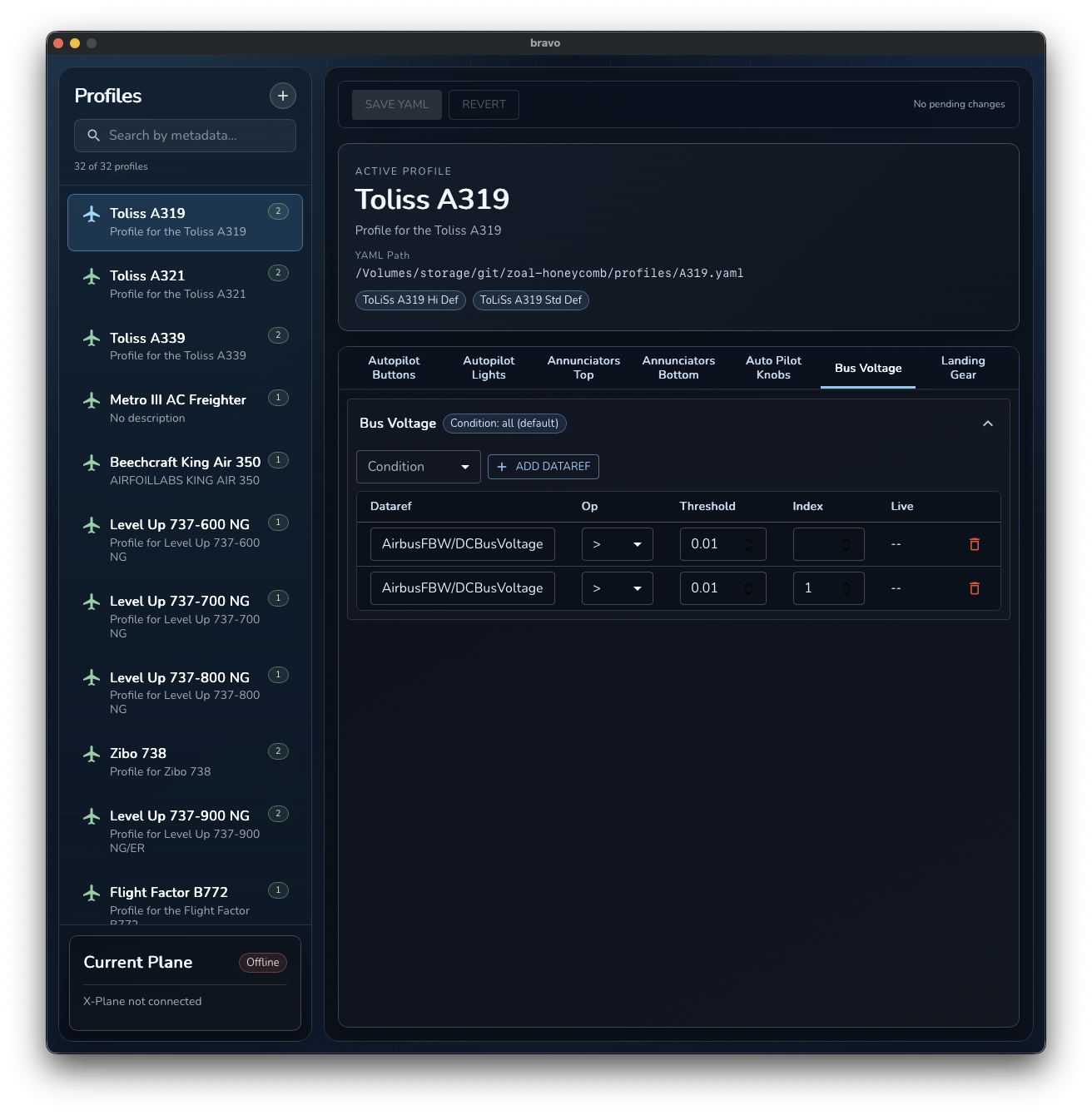
Use this tab to define power-on datarefs and thresholds.
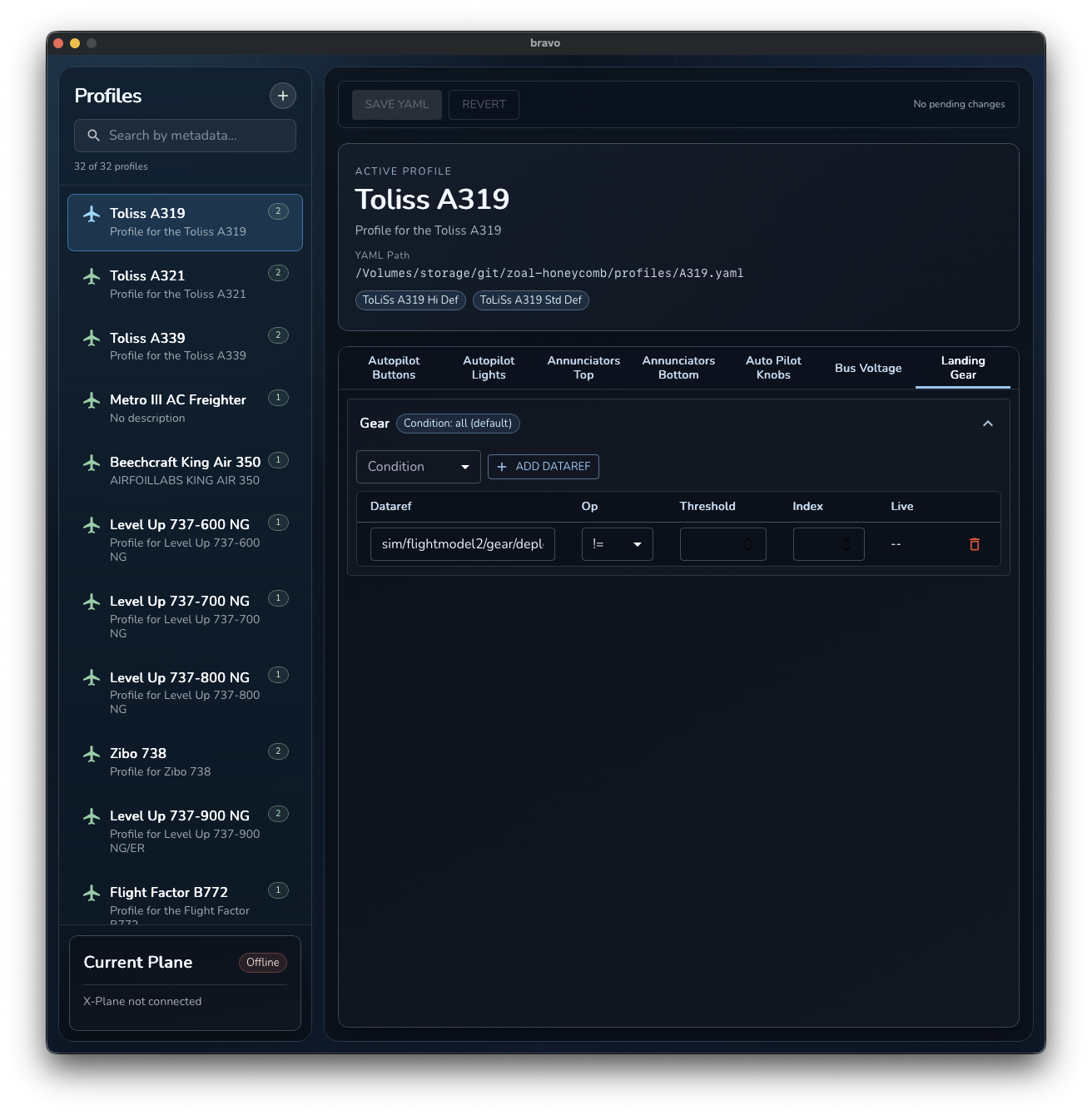
Landing Gear
Configures the gear indicator behavior in leds.gear.
Revert and Save
- Revert discards unsaved edits for the current profile.
- Save YAML persists current tab changes to the profile file.
Profile selection logic
At runtime, profile selection is:
- Read ICAO from
sim/aircraft/view/acf_ICAO. - Try exact file:
profiles/<ICAO>.yaml. - If multiple files share ICAO prefix, match exact aircraft UI name (
sim/aircraft/view/acf_ui_name) againstmetadata.selectors.
Example:
- ICAO
C172can useC172 G1000.yamlandC172 Steam.yaml. metadata.selectorspicks the correct variant.
Advanced topic: edit YAML directly
Direct YAML editing is still supported for bulk edits and scripting workflows.
Main top-level keys
metadatabuttonsknobsledsconditionsdata
Minimal advanced template
metadata:
  name: "<display name>"
  description: "<optional description>"
  selectors:
    - "<exact aircraft UI name>"

buttons:
  hdg:
    single_click:
      - command_str: "<xplane/command>"
    double_click:
      - command_str: "<xplane/command>"

knobs:
  ap_hdg:
    datarefs:
      - dataref_str: "<xplane/dataref>"

leds:
  hdg:
    datarefs:
      - dataref_str: "<xplane/dataref>"
        operator: "=="
        threshold: 1

conditions:
  bus_voltage:
    datarefs:
      - dataref_str: "sim/cockpit2/electrical/bus_volts"
        operator: ">"
        threshold: 0.01
YAML validation checklist
- File name matches ICAO or starts with ICAO for variants.
metadata.selectorsexactly matches X-Plane UI aircraft name.command_strvalues exist in X-Plane command list.- Each LED/condition dataref has
operatorandthreshold. - Use
indexfor array-style datarefs when required.
For reference examples, see profiles in the repo: profiles/